

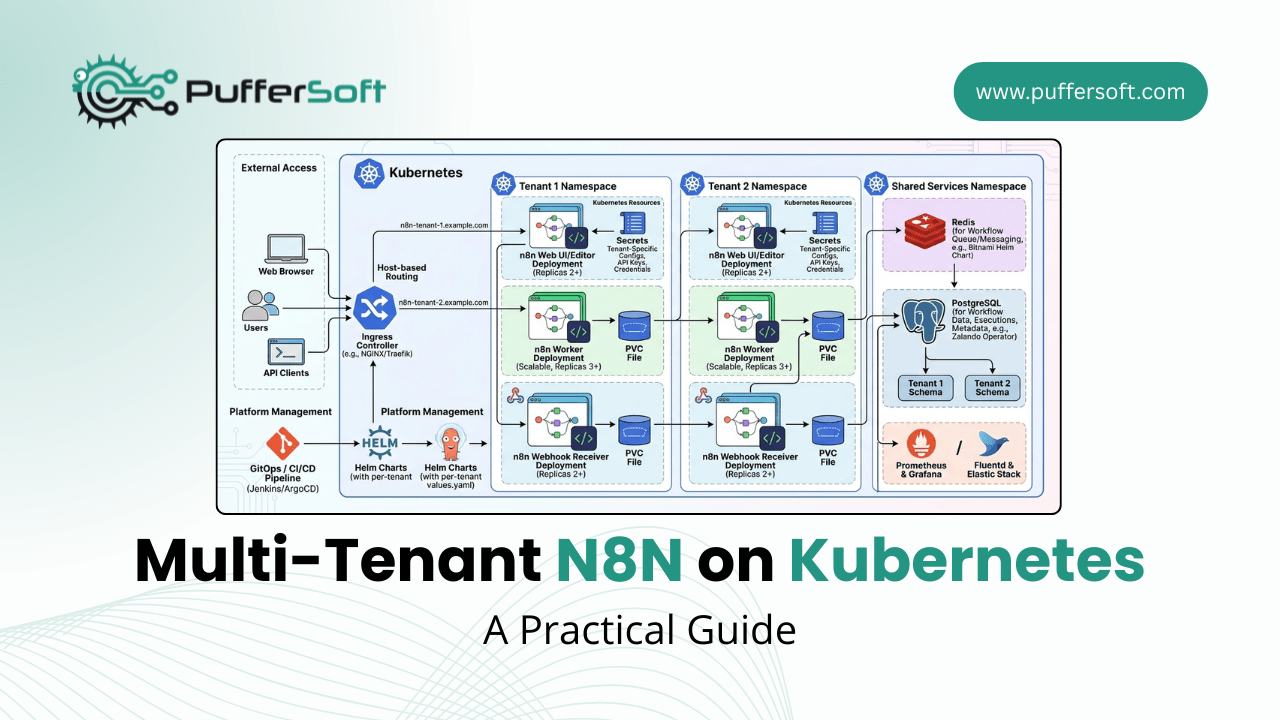
Multi-Tenant n8n on Kubernetes: A Practical Guide
Introduction
Running n8n as a shared automation platform for multiple teams or clients on one Kubernetes cluster raises a key question: how do you keep tenants isolated while stopping one tenant from consuming an unfair share of resources?
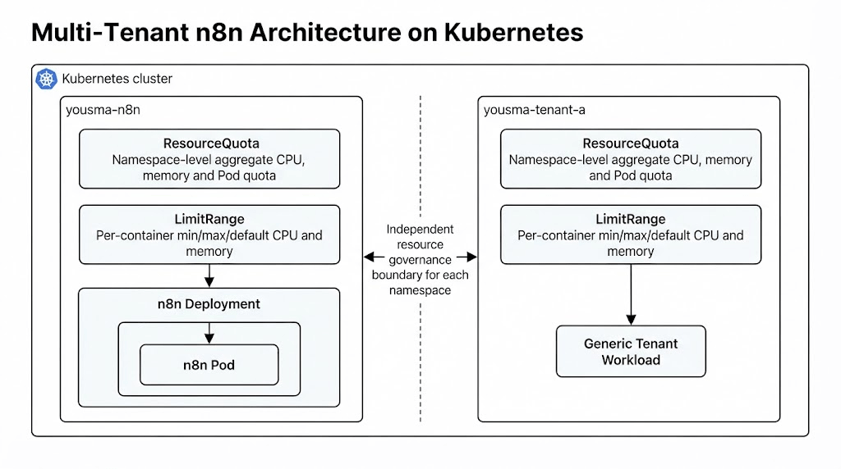
Kubernetes gives us the tools to solve this: Namespaces for logical isolation, ResourceQuota for namespace-level budgets, and LimitRange for per-container limits and defaults. In this hands-on lab, we created a yousma-n8n namespace, applied quotas and limits, deployed n8n, deliberately triggered quota violations, and then repeated the setup independently for a second tenant.
Why Resource Isolation Matters
Without governance, a heavy tenant can starve lighter tenants of CPU/memory, making capacity planning and cost allocation unreliable. Kubernetes namespaces and quotas reduce this “noisy neighbor” risk — though network isolation and security still need extra controls.
Multi-Tenant n8n on Kubernetes
1. Namespace Isolation
Each tenant gets its own namespace, the administrative boundary for its resources:
$ kubectl create namespace yousma-n8n
$ kubectl get namespaces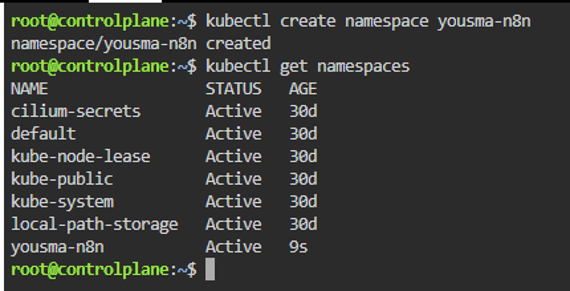
2. ResourceQuota — The Namespace Budget
ResourceQuota caps total CPU, memory, and Pod count per namespace:
hard:
  requests.cpu: "1"
  requests.memory: "1Gi"
  limits.cpu: "2"
  limits.memory: "2Gi"
  pods: "5"
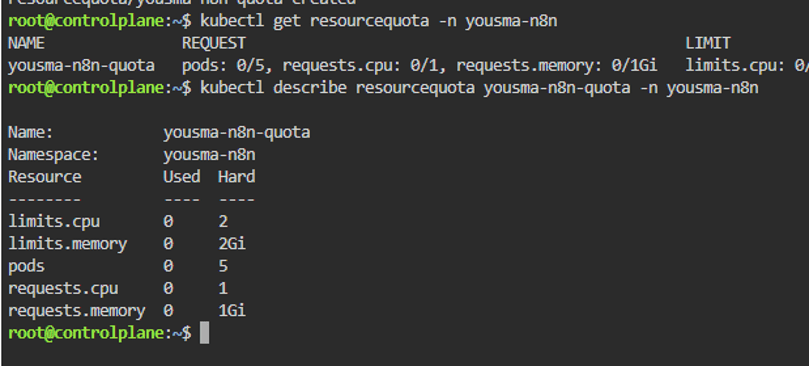
| Resource | Used | Hard Limit |
| CPU limits | 500m | 2 CPU |
| Memory limits | 512Mi | 2Gi |
| Pods | 1 | 5 |
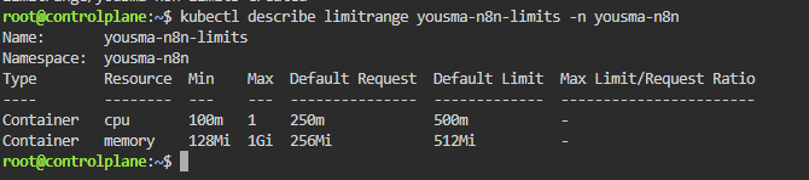
3. LimitRange — Per-Container Control
If ResourceQuota is the namespace’s total budget, LimitRange controls what a single container can request or use — and sets defaults for containers that specify none:
min: cpu 100m, memory 128Mi
max: cpu 1, memory 1Gi
defaultRequest: cpu 250m, memory 256Mi
default: cpu 500m, memory 512Mi
4. Deploying n8n
With namespace, quota, and limits ready, we deployed n8n from the official image:
$ kubectl create deployment yousma-n8n --image=n8nio/n8n -n yousma-n8n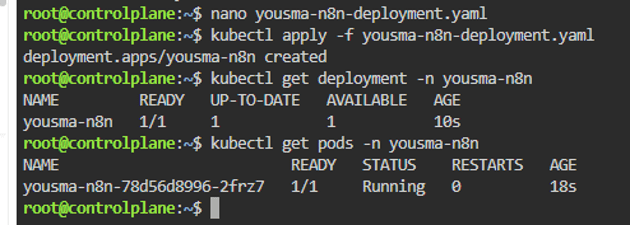
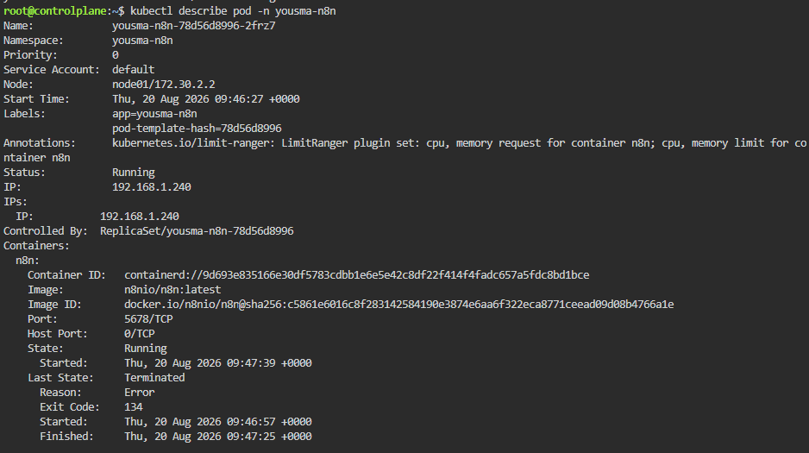
Inspecting the Pod confirmed LimitRange defaults were auto-applied — cpu: 500m / memory: 512Mi limits, 250m / 256Mi requests — even though the deploy command never specified them.
5. Testing Enforcement
A good design must also fail correctly. We tested two violations:
LimitRange test — a Pod requesting 1500m CPU / 1500Mi memory (over the 1 CPU / 1Gi max) was rejected:
maximum cpu usage per Container is 1, but limit is 1500m
ResourceQuota test — adding an 800m CPU / 800Mi request on top of the running Pod’s 250m/256Mi would total 1050m/1056Mi, exceeding the 1 CPU / 1Gi namespace quota. Kubernetes rejected it outright:
exceeded quota: yousma-n8n-quota, requested: cpu=800m,mem=800Mi
6. A Second, Independent Tenant
We created yousma-tenant-a with its own smaller ResourceQuota (500m CPU / 512Mi / 3 Pods) and LimitRange — proving tenant policies don’t need to match:
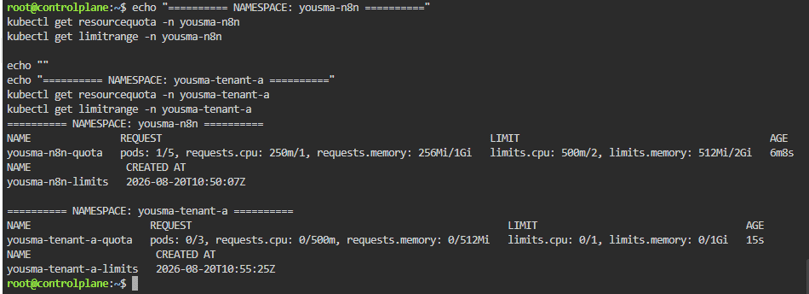
| Tenant | CPU Quota | Memory Quota | Pods |
| yousma-n8n | 1 CPU | 1Gi | 5 |
| yousma-tenant-a | 500m | 512Mi | 3 |
What This Does — and Doesn’t — Solve
Namespaces, ResourceQuota, and LimitRange give strong resource governance, but production multi-tenancy also needs RBAC, NetworkPolicies, secrets management, storage isolation, monitoring, and backup/DR — Kubernetes itself notes quotas don’t cover network-level isolation.
Best Practices
- Give every tenant a clear namespace boundary
- Apply ResourceQuota + LimitRange together, never one alone
- Test failure scenarios, not just the happy path
- Size quotas from real usage, not guesswork, and monitor utilization
- Layer in RBAC, NetworkPolicies, and secrets management for production
FAQs
What’s the difference between ResourceQuota and LimitRange?
ResourceQuota caps aggregate namespace usage; LimitRange constrains and defaults individual containers.
Can ResourceQuota actually block a Pod from being created?
Yes — our test showed the Kubernetes API server reject the request outright, not just log a warning.
Is this lab production-ready?
It demonstrates the core resource-governance model. Production needs added persistence, security, networking, and observability work.
Conclusion
Namespaces gave us tenant structure, ResourceQuota set the aggregate budget, and LimitRange governed individual containers and supplied safe defaults. Both enforcement tests confirmed Kubernetes rejects violations at the API level, and a second, independently-configured tenant showed the model scales cleanly across tenants with different needs.
If your organization is evaluating Kubernetes, n8n, or multi-tenant automation platforms, PufferSoft can help design and implement a secure, scalable cloud architecture for your workload.
→ PufferSoft Kubernetes Consulting Services
→ PufferSoft Cloud Migration Services
→ PufferSoft DevOps & Automation
Get in touch with PufferSoft for a consultation.