

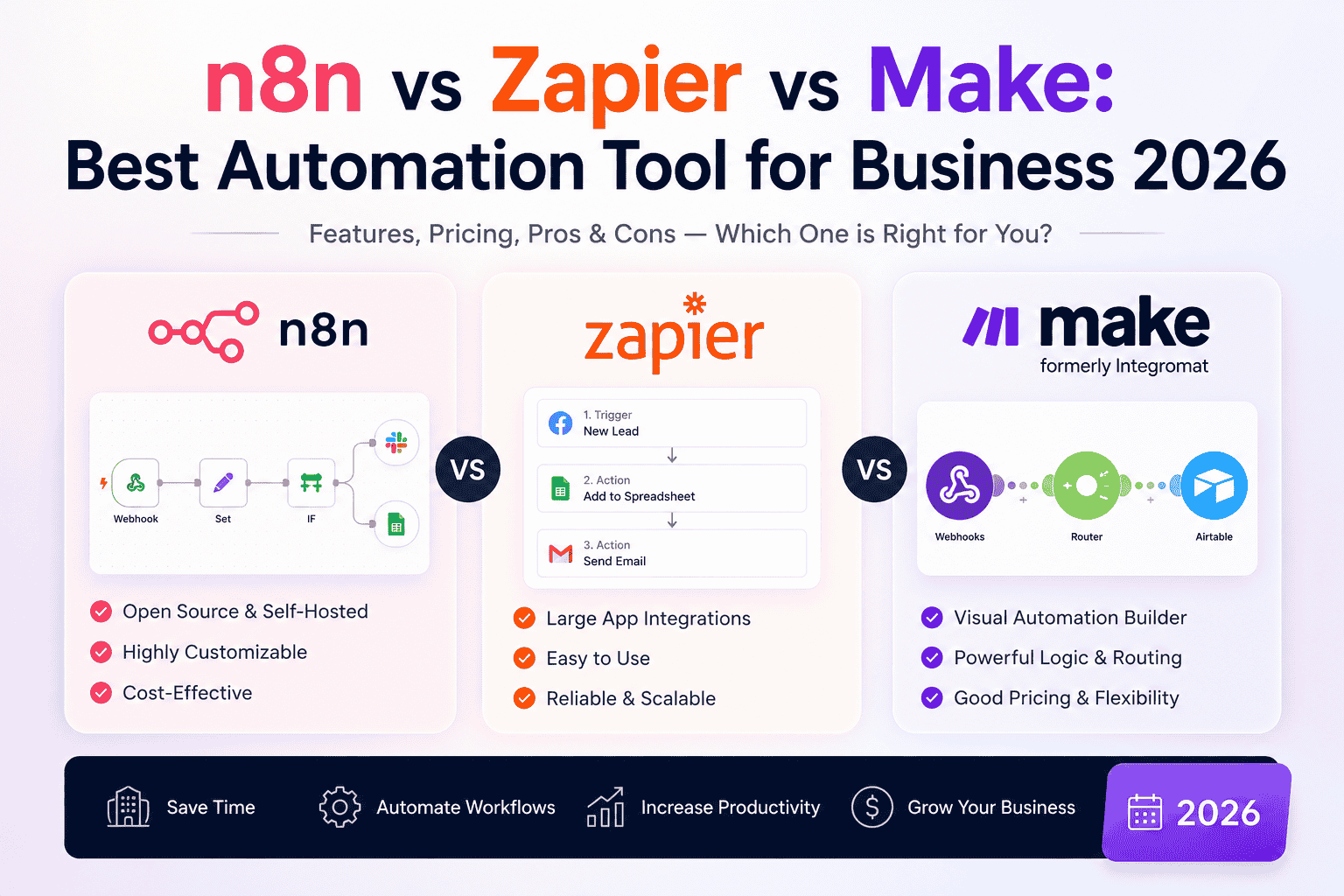
N8N vs Zapier vs Make: Best Automation Tool for Business 2026
Introduction
Is your team still wasting hours on manual, repetitive tasks? In 2026, workflow automation is no longer optional; it is a core part of running a competitive business. Studies show that automation can cut repetitive tasks by up to 95% and save teams as much as 77% of their time.
But here is the challenge: choosing the right automation platform. Three tools dominate the market: N8N, Zapier, and Make, and each takes a very different approach to solving the same problem. Whether you run a startup, a growing SMB, or a large enterprise, picking the wrong tool can mean overpaying, hitting workflow limits, or losing control over sensitive business data.
This guide breaks down n8n, Zapier, and Make in 2026 so you can make a smart, informed decision. We cover pricing, integrations, AI capabilities, ease of use, security, and the best use cases for each platform.
What Is Workflow Automation? (And Why It Matters in 2026)
Workflow automation connects your apps and services so they can exchange data and trigger actions automatically without human intervention. Instead of copying data from a form into a CRM or manually sending follow-up emails, an automation tool handles it in seconds.
Common examples include:
- New website leads automatically enter Salesforce
- Slack notifications triggered by new Jira issues
- AI-generated email replies sent to customers
- Support tickets categorized using Large Language Models (LLMs)
- Kubernetes deployment alerts sent to Microsoft Teams
According to industry research, 67% of business leaders now say workflow automation is essential to their digital transformation strategy. In 2026, all three leading platforms n8n, Zapier, and Make will also have added powerful AI agent capabilities, making them far more than simple “if this, then that” tools.
Quick Comparison: n8n vs Zapier vs Make at a Glance
| Feature | n8n | Zapier | Make |
| Best For | Developers, technical teams | Non-technical users | SMBs, visual thinkers |
| Integrations | ~1,000+ (unlimited via API) | 8,000+ | 1,500–3,000+ |
| Pricing Model | Per execution (or free self-hosted) | Per task (per action step) | Per operation |
| Self-Hosting | ✅ Yes (free community edition) | ❌ No | ❌ No |
| Interface | Node-based (technical) | Linear wizard (simple) | Visual canvas (moderate) |
| AI Capabilities | Advanced (LangChain, 70+ AI nodes) | Good (Agents, Copilot) | Good (Maia AI, AI Agents) |
| Free Plan | Yes (self-hosted or cloud trial) | 100 tasks/month | 1,000 operations/month |
| Learning Curve | Steep | Low | Moderate |
| Custom Code | Excellent (JS + Python) | Limited | Good |
| Data Privacy | Full control (self-hosted) | Cloud only | Cloud only |

Diagram Platform Strengths Radar:
a feature comparison radar-style breakdown for the three platforms
n8n: Maximum Power and Control
n8n (pronounced “n-eight-n”) is an open-source, fair-code workflow automation platform built for developers and technical teams who need full control over their data, logic, and infrastructure. Its popularity has grown rapidly because organizations can automate complex business processes without being locked into expensive per-task pricing.
Key Strengths of n8n
Self-hosting and data sovereignty. n8n is the only platform among the three that lets you run the entire tool on your own servers. This means your data never leaves your infrastructure, a critical advantage for businesses in regulated industries like finance, healthcare, or legal services.
Cost-effective at scale. n8n charges per workflow execution, not per individual action step. A 10-step workflow running 10,000 times per month counts as 10,000 executions, whereas the same workflow on Zapier would count as 100,000 tasks. At scale, n8n can cost 5–8 times less than Zapier. A self-hosted n8n instance running on a $50/month server can handle workloads that would cost $1,500 or more on Zapier.
Advanced AI agent capabilities. n8n 2.0, released in January 2026, introduced native LangChain integration, 70+ AI-specific nodes, persistent agent memory, and support for self-hosted large language models. For teams building sophisticated AI-driven workflows, n8n is the clear leader.
Developer flexibility. n8n supports writing custom JavaScript or Python directly inside workflow nodes. Developers can also install community-built nodes, connect to npm libraries, integrate with Git for version control, and build fully custom connectors via the HTTP Request node, making the number of effective integrations virtually unlimited.
Pros and Cons of n8n
Pros
- Open-source with an active community
- Self-hosting for complete control over infrastructure and data
- Excellent for AI agents and LLM-powered workflows
- Supports JavaScript, Python, REST APIs, and GraphQL
- Cost-effective for high automation volumes
- Highly extensible for developers and DevOps teams
Cons
- Steeper learning curve than competitors
- Smaller native integration library
- Self-hosting introduces infrastructure maintenance responsibilities
n8n Pricing (2026)
- Self-hosted (Community Edition): Free
- Cloud Starter: €20/month (2,500 executions)
- Cloud Pro: €50/month (10,000 executions)
- Cloud Business: €667/month (40,000 executions, billed annually)
- Enterprise: Custom pricing
When to Choose n8n
- You have a developer or technical team
- Data privacy and compliance are top priorities
- You run high-volume, complex workflows
- You want to build AI agents or LangChain-powered workflows
- You want to reduce long-term automation costs
Zapier: Simplicity and Speed for Non-Technical Teams
Launched in 2011, Zapier pioneered the no-code automation space and remains the most widely used platform, with over 3 million businesses relying on it. Its entire design philosophy is built around radical simplicity: if you can click, you can automate. Industry comparisons consistently place Zapier ahead in breadth of integrations and beginner-friendly onboarding.
Key Strengths of Zapier
Largest integration library. With 8,000+ app integrations, Zapier connects virtually every mainstream business tool on the market. From CRMs and email platforms to project management and finance tools, the odds are high that your entire tech stack is already supported without writing a single line of code.
Easiest to use. Zapier uses a linear, step-by-step “trigger and action” model. You pick a trigger (e.g., “New lead in HubSpot”), add one or more actions (e.g., “Send Slack notification” + “Add row to Google Sheets”), and you are done. Non-technical users can build their first automation in minutes.
AI-powered features. In 2026, Zapier launched Zapier Agents for autonomous AI task execution and an AI Copilot that builds Zaps from natural language descriptions. These features bring AI automation to non-technical users without any coding required.
Pros and Cons of Zapier
Pros
- Extremely easy for beginners
- Largest ecosystem of pre-built integrations
- Reliable cloud infrastructure with enterprise-grade uptime
- Quick workflow creation with minimal setup
- Excellent documentation and community support
Cons
- Costs increase rapidly as task volume grows
- Limited customization for advanced workflows
- No self-hosted deployment option
- Complex workflows become expensive quickly
Zapier Pricing (2026)
- Free: 100 tasks/month
- Professional: ~$19.99/month (750 tasks, billed annually)
- Team: ~$69/month (2,000 tasks, billed annually)
- Enterprise: Custom pricing
Important: Zapier charges per task, and every individual action in a workflow counts as a separate billable task. A 10-step Zap firing 1,000 times per month burns 10,000 tasks. Costs scale up quickly for complex, high-volume workflows.
When to Choose Zapier
- Your team is non-technical and needs a fast setup
- You run simple, straightforward automations
- You need access to the widest possible range of app integrations
- Speed to production matters more than cost at scale
Make: Visual Power at a Competitive Price
Make (formerly known as Integromat) is a cloud-based automation platform that strikes an intelligent balance between Zapier’s simplicity and n8n’s technical depth. It is especially popular among SMBs and operations teams who want powerful multi-step logic without needing a developer. Make is widely regarded as one of the best-value platforms for complex visual automations.
Key Strengths of Make
Visual canvas builder. Make uses a flowchart-style, drag-and-drop canvas where you can see your entire workflow as a diagram, including conditional branches, loops, parallel paths, and data routers. This makes it far easier to understand and debug complex automations than Zapier’s linear format.
Better value than Zapier at scale. Make charges per operation (similar to Zapier’s tasks), but at a significantly lower per-unit cost. For medium-complexity workflows, Make can deliver equivalent functionality at roughly 60% less cost than Zapier.
Deep integration configuration. While Make has fewer integrations than Zapier (1,500–3,000+ depending on the source), its connectors often provide deeper access to app features. For example, its Google Sheets integration enables more precise data manipulation than Zapier’s equivalent.
AI features. In 2026, Make launched Make AI Agents (generally available since early 2026) built directly into the scenario canvas. Its Maia AI assistant can draft automation scenarios from plain-language descriptions, currently in early access. A reasoning panel also shows each decision an AI agent makes in real time.
Most generous free plan. Make offers 1,000 free operations per month with two active scenarios, the most useful free tier among the three for testing automation ideas before committing to a paid plan.
Pros and Cons of Make
Pros
- Intuitive visual workflow builder
- Strong balance between ease of use and flexibility
- Advanced routing and data transformation features
- Competitive pricing for medium-sized businesses
- Well-suited for marketing and operations teams
Cons
- The learning curve is steeper than Zapier’s
- No self-hosting option
- Fewer native integrations than Zapier
Make Pricing (2026)
- Free: 1,000 operations/month, 2 active scenarios
- Core: ~$9/month (10,000 operations)
- Pro: ~$16/month (10,000 operations, with advanced features)
- Teams / Enterprise: Custom pricing
When to Choose Make
- You want powerful visual workflows without needing to code
- Cost matters, and you’re running medium-complexity workflows
- Your team includes “power users” comfortable with flowchart-style tools
- You want strong AI agent capabilities without a steep learning curve
Pricing at Scale: The Real Cost Comparison
Most comparison guides show starter prices without calculating real-world costs. Here is what actually happens when your workflows scale.
Scenario: A lead qualification workflow with 8 steps, running 10,000 times per month.
| Platform | Billing Unit | Units Consumed | Estimated Monthly Cost |
| n8n Cloud | Per execution | 10,000 | ~$50 |
| Make Pro | Per operation | 80,000 | ~$150–200 |
| Zapier Professional | Per task | 80,000 | ~$250–400+ |
At this volume, n8n is 5–8x cheaper than Zapier. Self-hosted n8n eliminates execution costs, with only server infrastructure to pay for.
Understanding the billing difference: A task (Zapier) or operation (Make) counts every individual action in a workflow. An execution (n8n) counts the entire workflow run as one unit, regardless of how many steps it contains. This single difference drives most of the cost gap at scale.
Diagram Billing Model Explainer:
a pricing model explainer showing how each platform counts usage differently

Diagram Pricing at Scale (bar chart):
a real-world pricing comparison chart showing the true cost at scale

AI Capabilities: Which Platform Leads in 2026?
All three platforms have made significant AI investments in 2025–2026, but they differ in depth and approach.
| AI Feature | n8n | Zapier | Make |
| OpenAI Integration | ✅ | ✅ | ✅ |
| Claude (Anthropic) Integration | ✅ | ✅ | ✅ |
| AI Agents | Excellent | Good | Good |
| RAG Workflows | Excellent | Limited | Moderate |
| Custom AI Pipelines | Excellent | Moderate | Good |
| Self-Hosted LLM Support | ✅ | ❌ | ❌ |
n8n offers the most advanced AI capabilities. Its January 2026 update introduced native LangChain integration, 70+ AI nodes, persistent agent memory, and support for local/self-hosted language models. For teams building complex AI agents or workflows that need to remember context across interactions, n8n is purpose-built for this.
Make takes a strong intermediate position. Make AI Agents are now generally available and built into the same visual canvas. The Maia assistant lets users describe workflows in plain language and get working scenarios back. A reasoning panel shows agent decision-making in real time.
Zapier focuses on democratizing AI for non-technical users. Its AI Copilot builds Zaps from natural language, and Zapier Agents can execute tasks autonomously across its 8,000+ connected apps. What Zapier lacks is the technical depth for stateful AI agents with memory and context that require n8n.
Security and Data Privacy
| Feature | n8n | Zapier | Make |
| Self-Hosting | ✅ | ❌ | ❌ |
| Role-Based Access Control | ✅ | ✅ | ✅ |
| Encryption | ✅ | ✅ | ✅ |
| Enterprise Security | ✅ | ✅ | ✅ |
| Data Residency Control | Excellent | Limited | Moderate |
n8n has a clear advantage when it comes to data privacy. Because it can be fully self-hosted, your data never leaves your own infrastructure. This makes it the preferred choice for companies in regulated industries or with strict compliance requirements (GDPR, HIPAA, ISO 27001, etc.).
Zapier and Make are both cloud-only. Both use enterprise-grade encryption and meet GDPR standards, but you are ultimately trusting a third-party provider to handle your data. For most businesses, this is perfectly acceptable, but for those handling sensitive customer data or proprietary business intelligence, self-hosted n8n is the safer option.
Real-World Business Use Cases
Customer Support Automation
Recommended: n8n or Make: Customer submits a support form → AI categorizes the issue → Ticket created in Jira → Slack notification sent → Customer receives confirmation email.
Sales Lead Management
Recommended: Zapier Website form → CRM → Lead scoring → Sales rep notification → Automated follow-up email.
AI Content Generation
Recommended: n8n Marketing request → LLM generates draft → Editor reviews → Content stored in Notion → Approval notification sent.
E-commerce Order Processing
Recommended: Make New order → Inventory update → Invoice creation → Shipping notification → CRM update.
DevOps and Infrastructure Notifications
Recommended: n8n GitHub push → CI/CD pipeline → Deployment → CloudWatch alert → Microsoft Teams notification.
Which Tool Should You Choose? (Decision Matrix)
Choose by Priority
| If your priority is… | Best Choice |
| Fast setup with no coding | Zapier |
| Visual workflow design | Make |
| AI workflow automation | n8n |
| Enterprise scalability | n8n |
| Budget-friendly at scale | n8n |
| Largest app ecosystem | Zapier |
| Marketing automation | Make |
| DevOps and infrastructure | n8n |
| Small business productivity | Zapier |
| Complex business workflows | Make |
Choose by Business Type
| Business Type | Recommended Platform | Why |
| Startup | Zapier | Fast deployment and minimal setup |
| SMB | Make | Flexible workflows with good value |
| Enterprise | n8n | Scalability, security, and infrastructure control |
| SaaS Company | n8n | API-first architecture and developer flexibility |
| Marketing Agency | Make | Excellent visual automation capabilities |
| Sales Team | Zapier | Extensive CRM and SaaS integrations |
| DevOps Team | n8n | Infrastructure automation and scripting support |
| AI Startup | n8n | Advanced AI workflows and self-hosting |
Diagram 3 Decision Flowchart:

Best Practices Before Choosing an Automation Platform
Before committing to a platform, work through these steps to avoid a costly switch down the line:
- Define your workflows first. List the specific business processes you want to automate before evaluating tools.
- Estimate volume. Calculate expected monthly workflow runs to understand long-term pricing on each platform’s billing model.
- Check your integrations. Verify that the platform natively supports your existing software stack, especially less common tools.
- Think about scale. Choose a platform that fits your requirements 12–18 months from now, not just today.
- Assess your team’s technical capability. A powerful tool that no one on your team can maintain creates more problems than it solves.
- Evaluate compliance needs. If your business handles regulated data, data residency and self-hosting options are non-negotiable.
- Test before you commit. All three platforms offer free plans or trials. Run a real workflow on your top two candidates before upgrading.
Frequently Asked Questions (FAQs)
Q: Is n8n better than Zapier? It depends on your requirements. If you need maximum flexibility, custom code support, self-hosting, or advanced AI workflows, n8n is often the better choice. If your priority is simplicity and rapid deployment with minimal technical effort, Zapier is generally more suitable.
Q: Is n8n really free? Yes, n8n’s self-hosted Community Edition is free to use. You only pay for the server infrastructure. Cloud plans start at €20/month.
Q: Is Make easier to use than n8n? For most non-technical users, Make is easier because of its visual drag-and-drop interface. However, n8n provides greater customization and is better suited for technical teams.
Q: Which tool is best for complex workflows? Make and n8n both handle complex branching, loops, and parallel processing far better than Zapier’s linear format. n8n goes further with full JavaScript and Python code support inside workflows.
Q: Which automation tool is best for AI agents in 2026? n8n is the clear leader for advanced AI agent development, offering native LangChain integration, 70+ AI nodes, and persistent agent memory. Make and Zapier both offer AI agents, but with less technical depth and customizability.
Q: Which platform is cheapest at scale? n8n especially when self-hosted. At 10,000 workflow runs per month with 8 steps each, n8n can cost 5–8x less than Zapier and significantly less than Make.
Q: Can large enterprises use these platforms? Yes. All three offer enterprise-grade capabilities, but n8n is often preferred by organizations requiring infrastructure control, self-hosting, and advanced customization.
Q: Is Make the same as Integromat? Yes. Make was formerly known as Integromat. The platform rebranded in 2022 and has continued expanding its features and integration library since.
Conclusion: Choosing the Right Automation Tool for Your Business
There is no single winner in the n8n vs Zapier vs Make debate; the right choice depends entirely on your team, your workflows, and your budget.
- Choose Zapier if you need the fastest path to automation with zero technical effort and the broadest range of pre-built integrations.
- Choose Make if you want visually rich workflows, advanced routing and data transformation, and better pricing than Zapier without writing code.
- Choose n8n if your organization requires self-hosting, developer flexibility, enterprise-grade customization, or sophisticated AI-driven automation.
Workflow automation has evolved from a productivity enhancement into a strategic business capability. The best choice is the one that aligns with your technical expertise, budget, security requirements, and growth trajectory. Evaluate carefully, test before committing, and invest in a platform that not only meets today’s needs but also supports where your business is going.
Ready to Build Smarter Workflows?
At PufferSoft, we help businesses design, implement, and scale automation workflows across n8n, Zapier, Make, and beyond. Whether you are just getting started, scaling an existing setup, or migrating between platforms, our cloud and DevOps experts deliver solutions tailored to your business objectives, from AI-powered automation and cloud integration to enterprise workflow orchestration.